
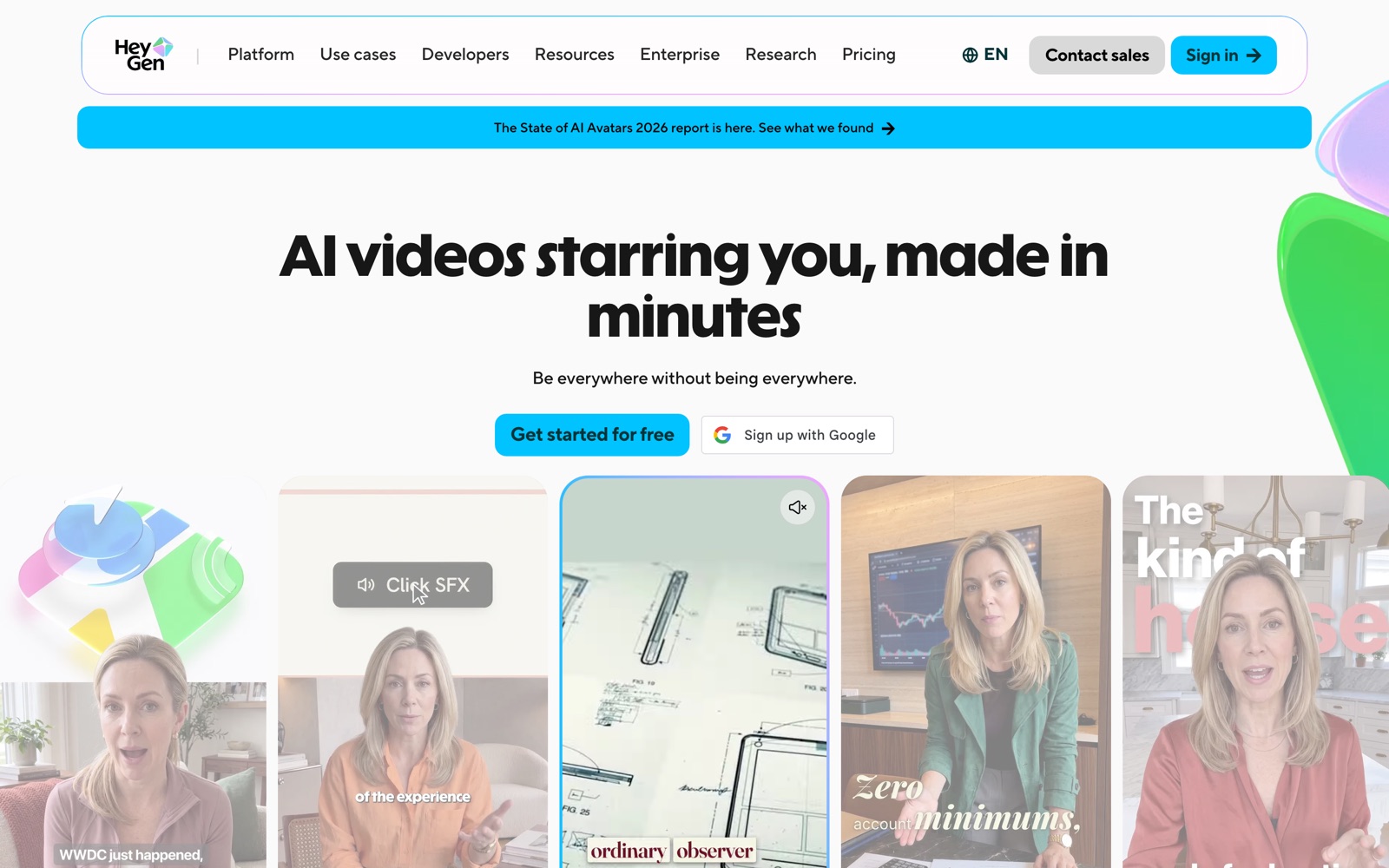
HeyGen screenshots
What is HeyGen?
HeyGen is a hosted AI video platform. You write or paste a script, choose an avatar and a voice, and it renders a presenter-style video: no camera, no studio, no timeline to learn. It also works in reverse. Upload a finished video and it returns dubbed, lip-synced copies in other languages.
The pitch is cost and speed. A talking-head explainer that used to need a presenter, a room and an editor becomes a script and a render. When the product changes, you edit a sentence and render again instead of re-shooting.
HeyGen says more than 100,000 businesses use it and that G2 named it the fastest-growing product of 2025. Both are the vendor's claims. What matters for you is whether an avatar reads as credible to your audience, which no badge answers.
It replaces some video production, not all of it. A founder's real face, a customer on camera and anything emotional still beat an avatar. Teams tend to use HeyGen for repeatable explanation (product demos, onboarding, training, localized ads) and keep human footage for the moments that need trust.
A note on shelf life: plan prices and credit tiers change more often than the product's basic workflow. Treat the pricing section below as a snapshot and confirm on heygen.com/pricing before you buy.
How HeyGen works
In the AI Studio editor you choose an avatar (a stock one, a custom avatar built from your own footage, or a photo avatar), paste a script and pick a voice. Voice cloning lets the avatar sound like you.
HeyGen renders the avatar speaking the script with matching mouth movement and gestures. Avatar IV adds finer control over motion and expression. Each render spends credits, and the count depends on the model, the length and the complexity.
The editor then handles the rest of the video: slides, screen recordings, backgrounds, captions and layout. Exports are 1080p on Free, Creator and 1080p-capable plans, and 4K on Pro and above.
For translation you upload a finished video and choose target languages. HeyGen produces dubbed versions with lip-sync, and on Pro and above you can edit the translated script before it renders, which is where most mistakes get fixed.
Business and Enterprise add the team layer: shared workspaces, comments on videos, SAML/SSO, interactive video with quizzes and branching, SCORM export for learning systems and, on Enterprise, MFA.
HeyGen pricing
HeyGen has a free plan you can start on today. Here's where it runs out and what the paid tiers cost.
Free is $0 with no card. You get up to 3 videos a month, each up to 1 minute at 1080p, one custom avatar, up to 3 photo avatars and 30+ languages. Avatar IV, Video Agent and lip-sync translation are trial access only.
Creator is $29 a month, or $24 a month billed annually. It includes 600 credits, videos up to 30 minutes, 1080p, watermark removal, one voice clone, unlimited photo avatars and 175+ languages. Pro starts at $49 a month with 1,000 credits, 4K export and more voice cloning, and scales through credit tiers (1,000 to 100,000 credits a month, $49 to $4,300). Every Pro tier has the same features; only the credit allowance changes.
Business is $149 a month plus $20 for each extra seat. It allows 60-minute videos, 5+ custom avatars, SAML/SSO, video comments, interactive video and SCORM export, and lets you buy one-time credit packs or turn on auto-reload. Enterprise is custom and adds unlimited video length, 10+ custom avatars and MFA.
Credits are the catch. Monthly plans roll unused credits over for one extra month; annual plans let them accumulate until renewal; cancelling wipes them. HeyGen doesn't publish a per-minute credit rate for every model, and third-party guides put Avatar IV near 20 credits a minute, so a busy month can drain Creator's 600 credits in about half an hour of premium video. Render one real script and read the credit count before you pick a tier.
Compare the total against what you pay now. A short explainer from an agency runs into the hundreds of dollars, so even a few videos a month can pay for Creator. If you make one video a quarter, the free plan or a screen recorder is enough.
Prices change often. Check the current plans on the official site before you pay.
See HeyGen pricingHeyGen features
- 500+ stock avatars, plus custom avatars from your own footage and photo avatars
- Avatar IV with motion and gesture control
- Voice cloning and 175+ languages on paid plans
- Video translation with lip-sync, and editable translated scripts on Pro and above
- Video Agent for drafting a video from a prompt (trial access on the free plan)
- AI Studio editor with slides, screen recordings, captions and backgrounds
- Interactive video with quizzes, links and branching, plus SCORM export and LMS integrations
- Team workspace with comments, SAML/SSO and, on Enterprise, MFA
Three things carry the product: the avatars and voices, translation with lip-sync, and the editor that turns a render into a finished video. Interactive video and SCORM export make it usable for training teams, and the API (priced separately) lets developers generate video from data. The trade-off is that everything is metered in credits, so features cost differently depending on the model you choose.
How to set up HeyGen
- 1
Sign up for the free plan
Create an account at heygen.com. No card is needed, and you get 3 short videos a month to test with.
- 2
Pick an avatar and a voice
Try two or three stock avatars against the same script. Choose the one your audience would believe, not the flashiest.
- 3
Write a script for the ear
Short sentences, one idea each. Read it aloud before you paste it in; avatars make long, dense paragraphs sound worse than a person would.
- 4
Render one test and check the credit use
Before you pay, note how many credits one finished minute uses on the model you chose. That number tells you which tier you need.
- 5
Add visuals and captions
Layer slides, a screen recording or product shots so the avatar isn't the only thing on screen, and turn on captions for silent autoplay.
- 6
Translate the version that works
Once one video performs, translate it into your top two or three markets. Have a native speaker read the translated script before you publish (Pro and above can edit it).
- 7
Set credit and billing habits
Choose annual billing if you'll use it for a year, since credits accumulate instead of expiring monthly, and note that cancelling forfeits unused credits.
What people use HeyGen for
Product demos that stay current
Edit the script when a feature changes and render again instead of re-recording. The catch: avatars can't point at your UI, so pair them with screen recordings.
Employee onboarding and training
Build consistent modules with a stock presenter and export SCORM to your learning system on Business. Long modules burn credits, so split them into short videos.
Multilingual marketing
Translate a launch video into a dozen languages with lip-sync. Have a native speaker review each script, because machine translation drifts on idioms and product terms.
Personalized sales outreach
Send short videos addressed to a named prospect without recording each one. Keep them under a minute and disclose that the presenter is an avatar where the law or the platform requires it.
Founder updates at scale
Build a custom avatar and cloned voice for weekly updates you'd otherwise film. Follow HeyGen's consent rules and tell viewers it's synthetic.
Localized ads
Turn one winning ad into versions for each market with translated speech and lip-sync. Check that on-screen text is localized too, since the tool translates speech, not your graphics.
Course and academy content
Teachers and course creators can produce lessons from a script and update them as material changes. The free plan's 1-minute cap means real courses need a paid plan.
Internal announcements
HR and ops teams can turn policy updates into short presenter videos, with comments on Business so reviewers can flag lines before publishing.
HeyGen vs Synthesia
If you're weighing HeyGen against Synthesia, both live in someone else's cloud, so it comes down to price, fit and how much you'd have to move.
| Aspect | HeyGen | Synthesia |
|---|---|---|
| Price to start | Free · paid from $29/month | From $29/month |
| Free plan | Yes | Yes |
| Self-hosting | No | No |
| Your data | In their cloud, exportable | In the vendor's cloud |
Synthesia figures are from its pricing page, checked 2026-09-30.
All Synthesia alternativesHeyGen next to similar tools
- HeyGen vs Synthesia
- Synthesia targets enterprise training and compliance, with a strong library of stock presenters. HeyGen has a free plan, 175+ languages and stronger video translation, and it's the easier tool to try on a small budget.
- HeyGen vs Arcads
- Arcads is built for UGC-style ad creative: actors, hooks and variations for paid social. HeyGen covers presentations, training and translation as well as ads, so it's the better all-round pick unless ads are the whole job.
- HeyGen vs filming it yourself
- Real footage builds more trust and suits founder stories. HeyGen wins on speed, on updating a script without a re-shoot and on translation. Many teams film the hero video and use HeyGen for everything else.
- HeyGen vs D-ID
- D-ID also animates talking avatars and offers an API. HeyGen bundles more of the editing workflow and translation, while D-ID is often chosen by developers embedding avatars in their own products.
- HeyGen vs a screen recorder like Loom
- A screen recorder is free or cheap and shows your real face and screen. Use it when speed and authenticity matter more than polish; use HeyGen when you need a consistent presenter, several languages or a script you can edit later.
Bottom line
Our take on HeyGen
If you need presenter-style video in more than one language, start on HeyGen's free plan with a real script and note how many credits one finished minute uses. Move to Creator when you need longer videos and no watermark, pick annual billing if you'll use it all year, and step up to Pro or Business only when credits or team features force it. Skip it if your videos depend on a real face and real emotion.

 ChatGPT
 Claude
 Perplexity
 Grok
Grok