
Typeless screenshots
What is Typeless?
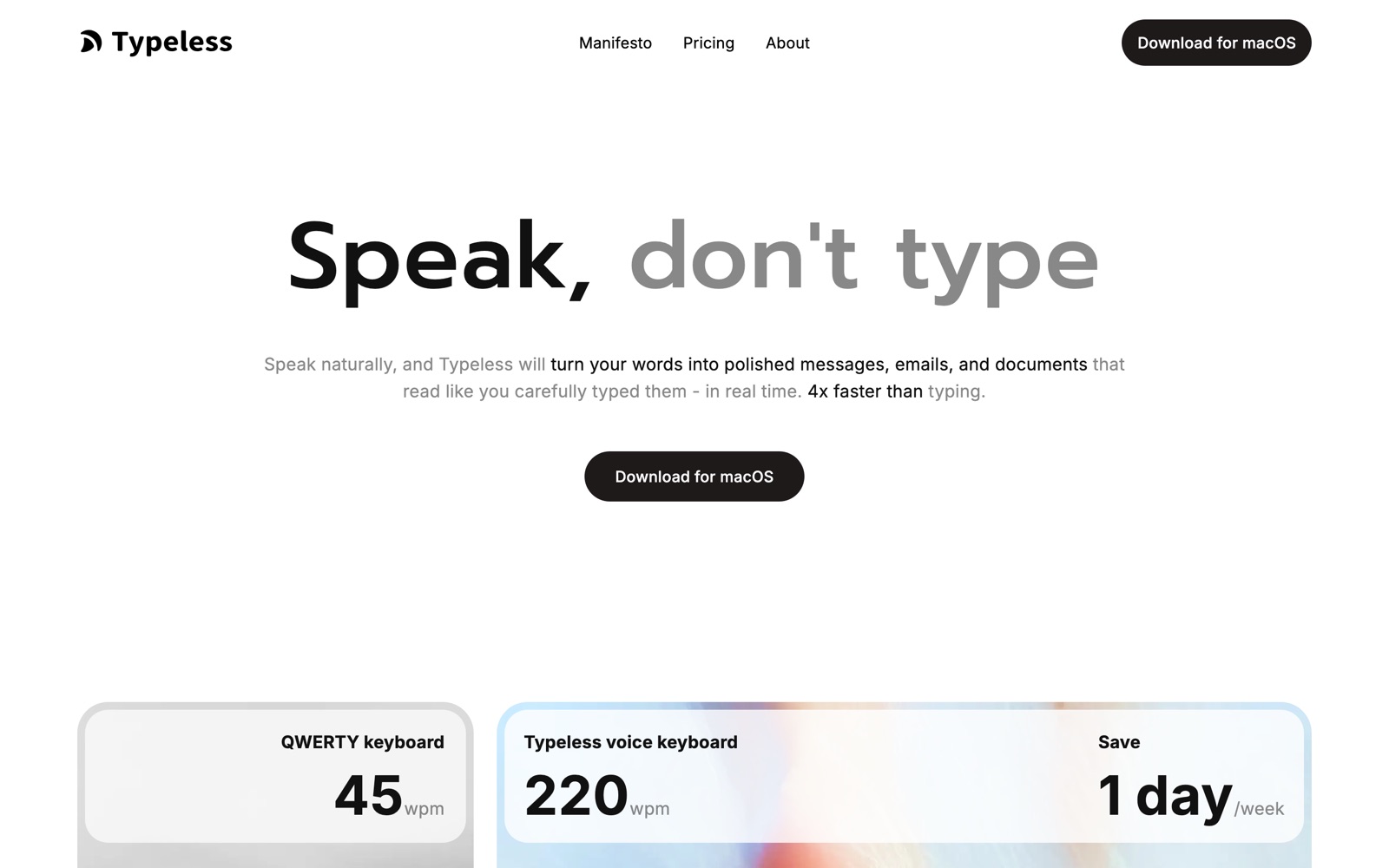
Typeless is a dictation app that writes for you as you talk. You hold a key, speak in your usual messy way, and it types a clean version into whatever app has focus, whether that's Gmail, Slack, Notion or a code editor.
The clean-up is the product. It drops the ums, collapses repetition, honors a mid-sentence correction and formats a spoken list as a list, so the result reads like something you typed on a good day. It also adjusts tone by app, so a Slack reply and an email don't sound identical.
Typeless says it can be about four times faster than typing and can save around a day a week. Those are the vendor's numbers and depend on how fast you type and how much you write, so measure your own before you buy.
It runs on desktop and mobile: macOS, Windows, Linux, iOS and Android. That coverage is unusual, and it means the habit follows you from laptop to phone.
A note on shelf life: privacy statements, plan limits and the list of supported apps change. Confirm them on typeless.com before you commit sensitive dictation or a team purchase.
How Typeless works
Install the app on your device and give it the microphone and system permissions it asks for. A shortcut key starts and stops dictation, and the text appears in the field that has focus.
You speak naturally. Typeless transcribes, then rewrites the result with its rules: filler removal, self-correction, list formatting and tone for the app you're in. The personalized style layer learns how you write.
A personal dictionary teaches it your names, product terms and acronyms so it stops misspelling them. Whisper mode lets you dictate quietly, and voice commands let you edit selected text or ask a quick question and have the answer typed in place.
Data handling is where the product makes its main promise: Typeless says it keeps zero cloud data retention, never trains on your data and stores history on your device. Pro adds cloud sync across devices, which is a separate, opt-in feature.
For teams, Pro adds member management, centralized billing and usage analytics. Enterprise adds SSO, SCIM provisioning, audit logs and enforced HIPAA controls.
Typeless pricing
Typeless has a free plan you can start on today. Here's where it runs out and what the paid tiers cost.
Free is $0 per member per month. It has a weekly word limit, standard accuracy and standard access during high demand, and includes messy-to-clear writing, translation, ask-anything, a personalized style, a personal dictionary, tone for each app, whisper mode and 100+ languages.
Pro is $12 per member per month when billed yearly, or $30 per member per month when billed monthly. It removes the word limit and adds enhanced accuracy, priority access during high demand, cloud sync, team member management, centralized billing and invoices, team usage analytics, prioritized feature requests and early access to new features.
Enterprise has custom pricing. It adds single sign-on, SCIM and just-in-time provisioning, domain verification, audit logs with configurable retention, enforced HIPAA controls, a BAA, volume discounts, flexible invoicing and priority support.
The yearly discount is steep: $144 a year against $360 on monthly billing. If you write for two hours a day, yearly Pro costs roughly 60 cents a working day. If you dictate a few messages a week, stay on Free and see if the word cap ever bites.
Prices change often. Check the current plans on the official site before you pay.
See Typeless pricingTypeless features
- Filler-word and repetition removal, with self-correction handling
- Messy thoughts turned into clear writing, with auto-formatted lists
- Different tones and a personalized writing style for each app
- Personal dictionary for names, products and jargon
- Real-time translation and support for 100+ languages
- Voice commands to edit selected text and to ask a quick question
- Whisper mode for quiet dictation
- Cloud sync, team management, centralized billing and usage analytics on Pro
The rewriting is what matters: filler removal, self-correction, list formatting and per-app tone turn speech into finished text. Translation into 100+ languages, voice edit commands and whisper mode are useful extras. The privacy and compliance lists (on-device history, zero cloud retention, GDPR, ISO 27001, HIPAA-ready) matter mostly for teams with rules about where speech goes.
How to set up Typeless
- 1
Install on your main computer
Download Typeless from typeless.com for macOS, Windows or Linux, or install the iOS or Android app, then sign in.
- 2
Grant the permissions it asks for
Allow microphone and system access so it can type into other apps. Without them nothing appears in your text fields.
- 3
Set a shortcut you won't hit by accident
Choose a key that doesn't clash with your other shortcuts and use it for a full day before you judge the tool.
- 4
Add your vocabulary
Enter names, product terms and acronyms in the personal dictionary. This fixes most of the recurring misspellings.
- 5
Dictate real work
Start with email and chat. Judge it by how much you edit afterwards, not by how it sounds when you talk.
- 6
Try tone per app and whisper mode
Check that Slack and email come out sounding different, and test whisper mode in the room where you actually work.
- 7
Decide on Pro after a week
If you hit the weekly word cap and edit less afterwards, choose yearly billing; monthly Pro is $30, well above the $12 yearly rate.
What people use Typeless for
Email at speed
Talk through a reply and send a tidy paragraph instead of typing it. Check names and numbers before you press send.
Slack and chat
Answer a long thread with a spoken message that reads as if you typed it. Tone per app keeps it casual where it should be.
First drafts of docs
Talk out the messy version in Notion, then edit it. It's fastest when you know what you want to say but dread the blank page.
Long prompts for AI tools
Dictate a paragraph of context into ChatGPT or a coding assistant instead of typing it. Long prompts are where dictation saves the most time.
Multilingual writing
Speak in your own language and have text come out in another, for messages to colleagues abroad. Have a native speaker check anything formal.
Support replies
Support teams can dictate answers to repeat questions and keep a consistent tone. Pro's team analytics show usage across the team.
Accessibility and strain relief
People with wrist or hand strain can cut typing hours. Test accuracy with your own voice and vocabulary before you rely on it.
Regulated teams
Enterprise adds enforced HIPAA controls, a BAA, SSO and audit logs for organizations with compliance rules. Ask for the security documentation first.
Typeless vs Wispr Flow
If you're weighing Typeless against Wispr Flow, both live in someone else's cloud, so it comes down to price, fit and how much you'd have to move.
| Aspect | Typeless | Wispr Flow |
|---|---|---|
| Price to start | Free · Pro $12/month billed yearly | From $12/month |
| Free plan | Yes | Yes |
| Self-hosting | No | No |
| Your data | In their cloud, exportable | In the vendor's cloud |
Wispr Flow figures are from its pricing page, checked 2026-09-30.
All Wispr Flow alternativesTypeless next to similar tools
- Typeless vs Wispr Flow
- Wispr Flow is the best-known rival and takes a similar clean-up approach. Compare accuracy on your own voice, platform coverage and the price for your usage; run the same paragraph through both.
- Typeless vs Apple or Windows dictation
- Built-in dictation is free and fine for short notes but returns a literal transcript. Typeless costs money after its free tier and saves the editing.
- Typeless vs Superwhisper
- Superwhisper leans on local models and custom modes, which some people prefer for privacy. Typeless has wider platform coverage, including Windows, Linux and Android.
- Typeless vs Otter or Whisper-based transcribers
- Meeting transcribers turn recordings into notes after the fact. Typeless types into the app you're using right now, so it's a keyboard replacement, not a note-taker.
- Typeless vs typing with an AI rewrite
- You can type a rough draft and ask ChatGPT to tidy it. That's a second step every time; Typeless does the tidying as you speak.
Bottom line
Our take on Typeless
If typing is the slow part of your day, install Typeless free and use it for a week on email and chat. Add your names to the dictionary, judge it by how little you edit, and buy yearly Pro at $12 a month only if you hit the word cap. Skip it if you work where you can't speak aloud, or if you write mostly code and short commands.
 ChatGPT
 Claude
 Perplexity
 Grok
Grok